The Customer-Facing Buylist
Your buylist is publicly accessible at a dedicated URL — no login required. This doc explains what customers experience from the moment they land on your page to the moment they submit an order.
Understanding the customer experience matters: a confusing buylist page leads to abandoned sessions and low-quality submissions. A clear one drives steady, accurate order flow.
The Public URL
Your buylist lives at:
app.sideboard.gg/b/[your-store-slug]The landing page lists all your active game buylists. Customers select a game to browse that game’s buylist:
app.sideboard.gg/b/[your-store-slug]/[game]For example: app.sideboard.gg/b/moxmagic/mtg or app.sideboard.gg/b/moxmagic/pokemon.
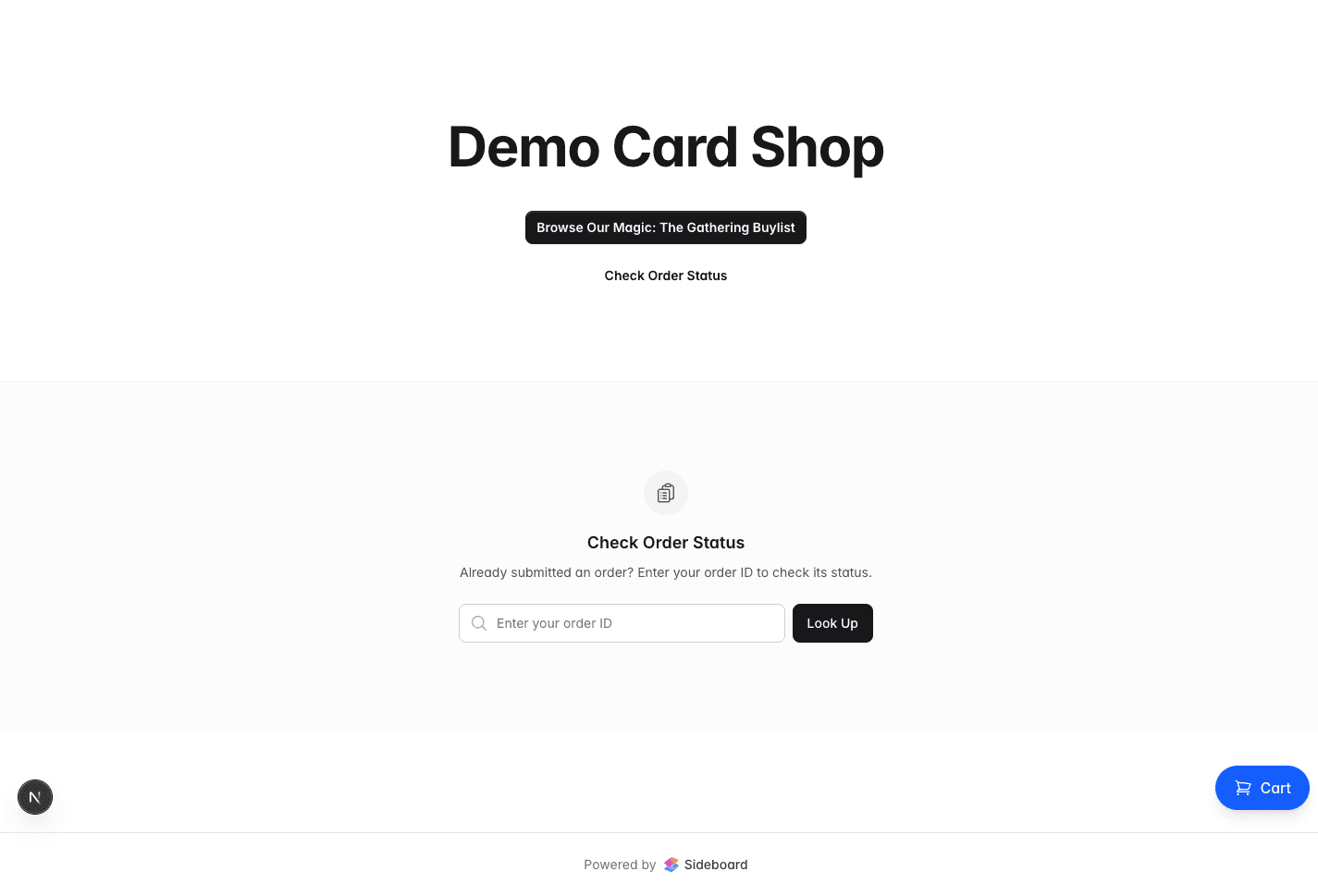
This URL is safe to share anywhere — your website, social media, Discord, in-store QR codes. Customers don’t need a Sideboard account. They just need a name, an email address, and cards.
The page shows your store name and shipping address. Make sure both are filled in under Buylist Settings before you start sharing the URL.
Browsing and Searching
Customers search for cards by name. The search is fast and fuzzy — “lightning bolt” finds Lightning Bolt, and “orcish bow” finds Orcish Bowmasters. Results show:
- Card name, set, and card image
- Condition options (based on your buylist’s default condition and adjustments)
- Buy price per copy at each condition
- How many copies you’re currently accepting
Cards your buylist is not buying — either because no quantity rule covers them, an exclude rule applies, or you’re already stocked — don’t appear in results. Customers won’t see a card with $0 or “not wanted”; it simply isn’t there.
The Live Quote
As customers add cards to their offer, a running total builds on the right side of the screen. The quote updates in real time — adding a card, changing a condition, or adjusting quantity all recalculate instantly.
Example: A customer adds:
- 4x Lightning Bolt (LP) at $1.80 each → $7.20
- 1x Smothering Tithe (NM) at $8.00 each → $8.00
- 2x Elvish Mystic (MP) at $0.23 each → $0.46
Running total: $15.66 cash or $20.36 store credit (at 30% bonus).
The customer sees both options simultaneously throughout the process — they don’t have to commit to cash or credit until they submit.
Condition Self-Assessment
Customers select the condition for each card they’re selling. The standard conditions your buylist accepts are:
| Condition | Shorthand | Typical description |
|---|---|---|
| Near Mint | NM | Virtually no wear, unmarked |
| Lightly Played | LP | Light edge wear, no creases |
| Moderately Played | MP | Noticeable wear, possibly light creases |
| Heavily Played | HP | Heavy wear, significant creasing or marking |
| Damaged | DMG | Severe damage, tears, water damage |
Customers self-assess and select the condition at submission time. Your team grades the actual cards when they arrive. If there’s a discrepancy, the offer is recalculated to reflect the graded condition — the customer sees the adjustment in the offer email before they accept or decline.
Submitting the Offer
When the customer is ready, they click Submit Offer and provide:
- Name — Used to identify them in your system
- Email — Where confirmation and status emails go
- Payment preference — Direct payout or store credit
That’s it. No account creation, no password, no payment info. They receive a confirmation email immediately with their reference code.
Order Lookup
After submitting, customers can check their order status at any time using their reference code:
app.sideboard.gg/b/[your-store-slug]/orders/[reference-code]The reference code is in XXXX-XXXX-XXXX format and included in every email they receive. The lookup page shows:
- Current order status
- Cards in the order and their quoted prices
- Tracking number field (to enter once they’ve shipped)
- Final offer details (once grading is complete)
When your team sends the final offer, customers can accept or decline directly from this page without creating an account.
What Customers Cannot See
A few things are deliberately hidden from the customer-facing page:
- Your internal rules — Customers see prices and quantities, not the rules that produce them
- Your inventory levels — The “up to max” calculation is invisible; customers just see “4 wanted”
- Presale items — Cards marked as presale are hidden from the public buylist until you release them. See ../advanced/presale for details
- Archived buylists — Archived buylists are immediately inaccessible via the public URL
Making Your Buylist Customer-Friendly
A few practices that reduce friction and improve submission quality:
Set a clear shipping address. Customers need to know exactly where to send their cards. Include suite numbers and any special instructions (e.g., “ATTN: Buylist Department”).
Communicate your grading standards. Consider linking to a condition guide from your store’s website. When customers understand what LP vs. MP looks like, submissions are more accurate and offer disputes drop.
Respond quickly to new orders. Customers who submit and don’t hear back within a day often assume something went wrong. The faster you approve, the faster cards arrive.
Offer a meaningful store credit bonus. The default 30% bonus is standard. Customers who regularly sell cards to your store and receive credit back become loyal repeat buyers.
What’s Next
- The Order Flow — The full intake and grading process on your side
- Creating a Buylist — Public settings, store name, and shipping address
- Buy Pricing Rules — How buy prices are calculated
- ../advanced/presale — Hiding presale items from the buylist
- ../customers/store-credit — Managing store credit for customers who prefer it
Was this page helpful?
Spotted something wrong, or want to suggest an improvement? Email support → — your message goes straight to engineering.