Welcome to Sideboard
Sideboard is an all-in-one platform designed for trading card game stores. It brings your inventory, pricing, buylists, and customer management into one place — so you spend less time on spreadsheets and more time on the shop floor.
Who Sideboard is for
Sideboard is built for brick-and-mortar and hybrid TCG stores that buy and sell across multiple games. Whether you run a small local game store or a multi-location operation, Sideboard scales with you.
You don’t need a technical background to use Sideboard. If you’re comfortable with Shopify or similar tools, you’ll feel at home quickly.
What Sideboard does
Live card catalogs
Sideboard maintains up-to-date card databases for the TCG titles it supports — including Magic: The Gathering, Star Wars Unlimited, One Piece, Yu-Gi-Oh!, Pokémon, Gundam, Disney Lorcana, and Riftbound. Card names, set info, rarity, and market prices are refreshed automatically, so your data stays current without any manual effort on your part.
Inventory management
Track what you have in stock across every game. Import from a spreadsheet, scan cards in, or add them manually. Sideboard keeps a complete history of every change and lets you export your inventory at any time.
Buylists
Create public buylists so customers know exactly what you’re looking for and at what price. Sideboard calculates buy prices based on market data and rules you define, then handles the order queue when customers bring cards in.
Pricing rules
Set up automatic sell-price rules per game or per set — for example, “price at 85% of market” — and Sideboard applies them to your inventory in real time as market prices update.
Customer management and store credit
Keep a record of your customers and their store credit balances. Sideboard tracks every transaction so you always know where credit stands.
Events
Run your event program from the same place you run your stock. Create one-off or recurring events, take sign-ups on a public page, keep a roster for each night, and sell tickets through your Shopify checkout and POS. Included free with any catalog subscription.
Shopify and marketplace integrations
Connect your Shopify storefront and Sideboard keeps it in sync — new inventory pushes to Shopify automatically, and sales on your online store update your stock counts. Integrations with card marketplaces like CardTrader let you expand your reach even further.
How the product is organized
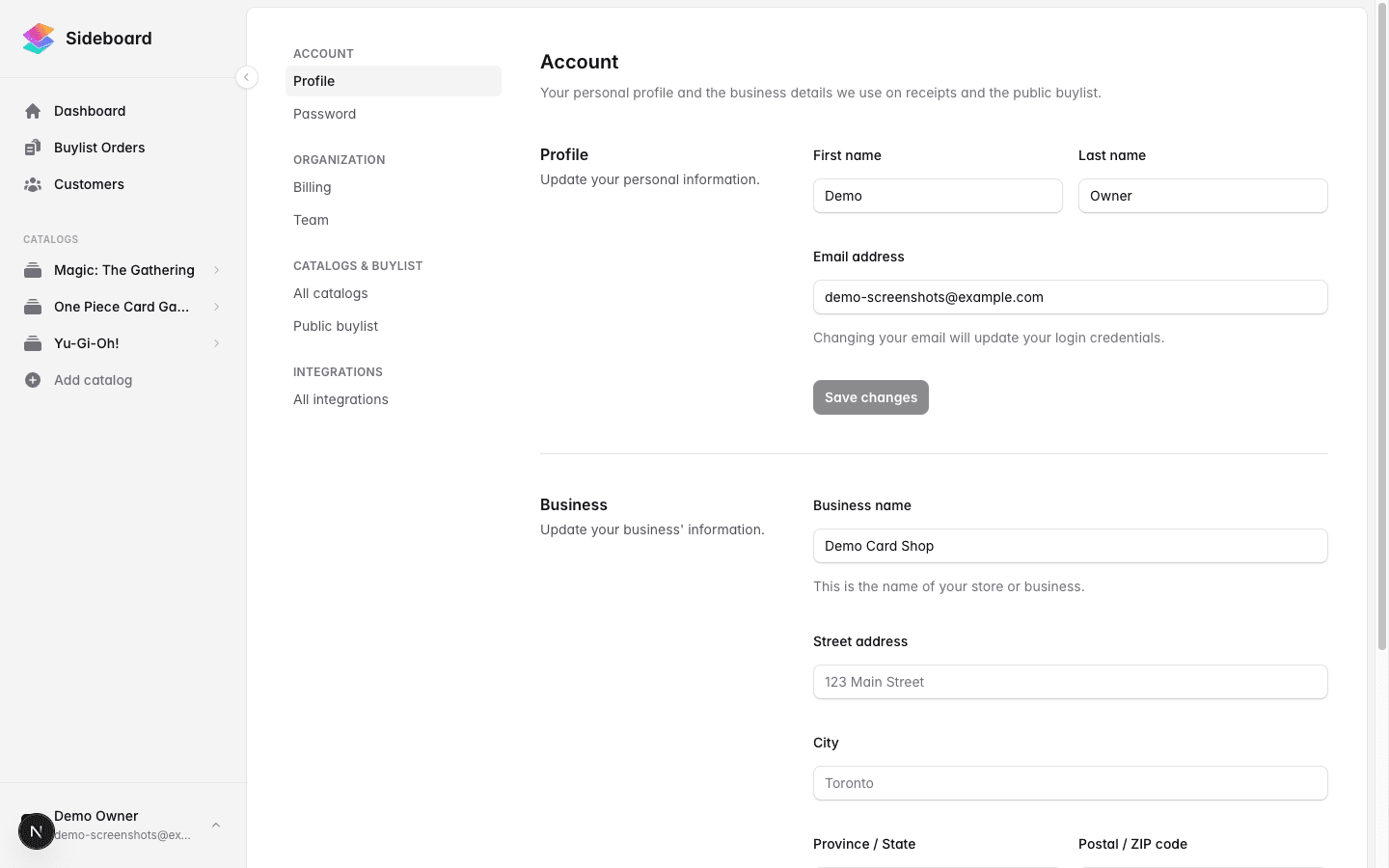
Everything in Sideboard lives under a few main areas:
- Catalogue — Browse the full card database for any game you’ve subscribed to. This is read-only; it’s your reference for what exists and at what market price.
- Inventory — Your stock. Add cards, set sell prices, import from CSV, and export for reconciliation.
- Buylists — Your buy offers. Create a buylist, set pricing rules, and share the public link with customers.
- Customers — Your customer records and store credit ledger.
- Calendar — Your event program: FNM, prereleases, leagues. Public sign-ups, attendee rosters, and ticket sales. Included with any catalog subscription — see Events Calendar.
- Settings — Billing, integrations (Shopify, CardTrader), and store profile configuration.
Each game you subscribe to gets its own section within Inventory and Buylists, so you can keep MTG separate from One Piece even if they share the same physical shelf.
Per-game subscriptions
Sideboard charges per game. You only pay for the games you actively sell. You can browse any game’s catalogue for free before committing — the subscription kicks in when you want to start managing inventory or creating buylists for that game. See Subscribing to a game for details.
What’s next
- First-time setup — Create your account and configure your store profile.
- Adding your first game — Pick a TCG and subscribe to get started.
- Adding products to inventory — Start building your stock list.
Was this page helpful?
Spotted something wrong, or want to suggest an improvement? Email support → — your message goes straight to engineering.